


Fix for OSX 10.6.5 apachectl: ulimit open files
If you’ve recently upgraded your Mac to OSX 10.6.5, and are a developer who run apache locally on your machine, you’re likely to find yourself with a broken web server.
Installing and running a Lamp stack on a Mac has never been as easy as, let’s say Ubuntu or even Windows, and we certainly appreciate the fact that Apple is including more and more of it in its standard OSX base install, but unfortunately a bug that kills Apache web server is now present in this latest version.
Mac OS 10.6.5 + apachectl: /usr/sbin/apachectl: line 82: ulimit open files: cannot modify limit: Invalid argument
After the upgrade to Mac OS 10.6.5 a bug seems to have been sneaking in where apachectl tries to re-set ulimit open files to unlimited. The error appears as such:
/usr/sbin/apachectl: line 82: ulimit open files: cannot modify limit: Invalid argument
While apachectl was working flawless before the upgrade to Mac OS 10.6.5, I suspected the two were related. After a quick search into what the update entailed, I found that Apple upgraded to Apache 2.2.15, which in turn patched a number of vulnerabilities. As it turned out, one of those changes broke the apachectl script.
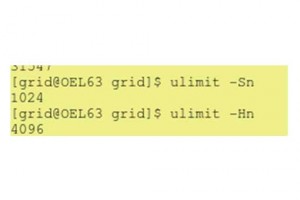
Referring to line 82 of apachectl, the shell script was referring to the ULIMIT_MAX_FILES variable that was trying to set to unlimited, which read:
ULIMIT_MAX_FILES="ulimit -S -n `ulimit -H -n`"
Changing the line as follows fixed the problem:
ULIMIT_MAX_FILES="ulimit -S -n 1024"
Should you be running a high amount of vhosts or do some testing that requires a significant amount of file descriptors, set this number higher accordingly.





thanks a lot!
this save me a lot of time!!