iFrame problems in WordPress solved

Help: WordPress iFrame and Embed not working! The issue where in WordPress iFrames not working, or simply disappear was introduced with version 2.2 There seems to be a known problem with iFrames in posts and pages, starting with WordPress 2.2.1 to be exact, which happens when editors use the internal WYSIWYG editor. A lot of users have reported this issue in frustration.
Initial saving of the content was fine, but subsequently editing and re-saving is would strip iFrame tags. A less than ideal solution was to avoid using the WYSIWYG editor and edit the post using HTML code. Now there is a Mozilla Firefox extension for those that don’t like write pure html code, called Xinha Here!.
It’s a pretty cool add-on, that opens either in a new window or in a bottom bar and let’s you use it as WYSIWYG editor until you’re done, then hit ok and save the article in WordPress. Just ensure that html editor is selected during this process, especially at saving.
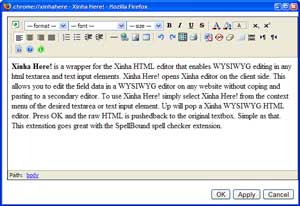
I have to say, Xinha works like a charm and has more features than the built in WordPress WYSIWYG editor. For more info, check out xinha’s web site. Hopefully this issue will be addressed and resolved in future versions, after all an iFrame or embed is an essential component of any modern webpage.