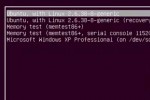
Clean Up And Modify he new Ubuntu Grub2 boot menu differs quite a bit from the previous version. As Ubuntu nominated the new version 2 of the Grub boot manager as of 9.10, removing of the old problematic menu.lst file.
Grub2 is a leap forward in many ways, and most of the annoyances from menu.lst are gone. Yet, if you don’t clean up old versions of kernel entries, the boot list can quickly get messy and end up in a long list of nonsense. Let’s assume we want to remove the 2.6.32-21-generic boot menu entries. Previously, this meant editing /boot/grub/menu.lst. But with Grub2, we use the package manager to remove the kernel package from our computer, Grub automatically removes those options. Btw. if only one operating system is installed on your computer, you may not see the boot menu at all and have to hold down the SHIFT button on your keyboard while booting up to get the menu to show.
To remove old kernel versions, open up Synaptic Package Manager, found in the System > Administration menu. When Synaptic opens up, type the kernel version that you want to remove into the Quick search text field. The first few numbers should suffice. Then for each of the entries associated with the outdated kernel (e.g. linux-headers-2.6.32-21 and linux-image-2.6.32-21-generic), right-click and choose “Mark for Complete Removal”, then hit “Apply”. These entries will be gone upon the next boot. Read more »